File # 142001
Personnel
Active

File # 142001
Personnel
Active
Barcode File Tracking: Accuracy in Records Management Operations
We bring extensive barcode records management experience from a wide array of
industries and applications, including barcode file tracking.
The best predictor of future success is prior performance
Are you having challenges with your records management, filing systems or archives?
FILETRACKERIoT IS THE SOLUTION!
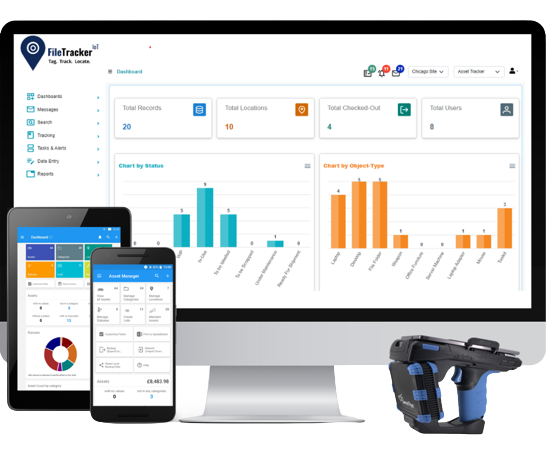
Computerized records management software
- Import or enter data about documents, files, archives and personnel.
- Establish parent-child relationships between documents, files and archives.
- Place barcode labels on each file and archive.
- Utilize USB and mobile barcode scanners to manage active and archived records.
Computerized records management software
- Import or enter data about documents, files, archives and personnel.
- Establish parent-child relationships between documents, files and archives.
- Place barcode labels on each file and archive.
- Utilize USB and mobile barcode scanners to manage active and archived records.
Barcode labeling of folders and archives
- Utilize sequential barcodes from rolls or print labels from roll or sheet printers with customized text and/or color-coding.
- Place barcode labels on folder top, side and/or front, onto sub-folders and on archives to automate records management functions.
- Unlimited label design options to optimize filing systems and the use of folders and archives by staff.
- Scan box and folder barcodes to automate transfer of inactive records to archives.
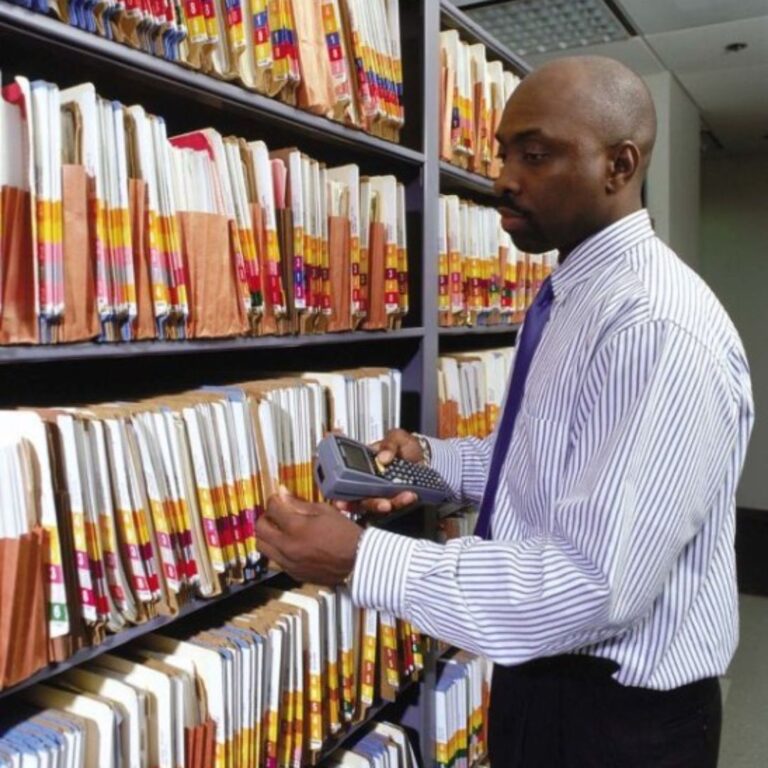
- Maintain file and archive inventories with mobile barcode scanner.
Barcode labeling of folders and archives
- Utilize sequential barcodes from rolls or print labels from roll or sheet printers with customized text and/or color-coding.
- Place barcode labels on folder top, side and/or front, onto sub-folders and on archives to automate records management functions.
- Unlimited label design options to optimize filing systems and the use of folders and archives by staff.
- Scan box and folder barcodes to automate transfer of inactive records to archives
Maintain file and archive inventories with mobile bar code scanner.
Automate file tracking using barcode file tracking technology.
Color-coded barcode file tracking systems
- Color-coding of files makes file pulls and refiles much faster through visual versus cognitive filing operations.
Unique colors are assigned to each alpha character A – Z and digit 0 – 9, and display on file folder label based on the type of filing system being utilized for alphabetic or numeric filing.
- Misfiles are prevented because colors clash and misfiles that do occur are immediately visible.
- When files are pulled or being returned, barcoding automates file tracking and records management functions.
Color-coded barcode file tracking systems
- Color-coding of files makes file pulls and refiles much faster through visual versus cognitive filing operations.
Unique colors are assigned to each alpha character A – Z and digit 0 -9, and display on file folder label based on the type of filing system being utilized for alphabetic or numeric filing.
- Misfiles are prevented because colors clash and misfiles that do occur are immediately visible.
- When files are pulled or being returned, barcoding automates file tracking and records management functions.
Check-Out and Check-In
- Scan folder barcode and then either scan destination (transfer-to) barcode or select destination from drop-down list.
- Enables batch check-in and check-out of many records to one or many destinations as a single transaction.
- All transfers update file locations in database and create audit trail records for chain-of-custody.
Check-Out and Check-In
- Scan folder barcode and then either scan destination (transfer-to) barcode or select destination from drop-down list.
- Enables batch check-in and check-out of many records to one or many destinations. as a single transaction.
- All transfers update file locations in database and create audit trail records for chain-of-custody.
Digitize and automate archives tracking with barcoding
Transferring files to archives
- Scan archive box or binder barcode and then the barcode on each folder going into the archive.
- Updates FileTrackerIoT folder records with box # and updates box data with folders-in-the-box.
- File folders are automatically tracked as dependent children records of the box, until and unless a file is removed from an archive and is managed individually until returned to an archive.
Transferring files to archives
- Scan archive box or binder barcode and then the barcode on each folder going into the archive.
- Updates FileTrackerIoT folder records with box # and updates box data with folders-in-the-box.
- File folders are automatically tracked as dependent children records of the box, until and unless a file is removed from an archive and is managed individually until returned to an archive.
Tracking and managing archives
- Place barcode Location labels on each shelf or shelf sub-location (shelf position).
- Scan shelf location barcode and box barcode which updates Total Tracking Visibility (TTV) software with the exact location of each archive box or binder.
- Total Tracking Visibility (TTV) keeps track of when archives are due for destruction based on legal retention guidelines.
Tracking and managing archives
- Place barcode Location labels on each shelf or shelf sub-location (shelf position).
- Scan shelf location barcode and box barcode which updates FileTrackerIoT software with the exact location of each archive box or binder.
- FileTrackerIoT keeps track of when archives are due for destruction based on legal retention guidelines.
Trace and inventory folios, files and archives
Place barcode Location labels on office door frames or on any surface at any work area where files are located.
- Scan Location label and folder, folio or archive label(s) with mobile barcode scanner when being delivered.
- Scan Location label and then each folder or archive at each Location with mobile barcode scanner to update the database with current file, folio and archive locations.
Trace and inventory folios, files and archives
Place barcode Location labels on office door frames or on any surface at any work area where files are located.
- Scan Location label and folder, folio or archive label(s) with mobile barcode scanner when being delivered.
- Scan Location label and then each folder or archive at each Location with mobile barcode scanner to update the database with current file, folio and archive locations.
Track Correspondence and Documents
- Total Tracking Visibility (TTV) includes optional document/folio software template to capture data about documents.
- Tracks date received, date marked, days-taken-to-mark, action required (Y/N), action assigned-to, date assigned, date completed and days-taken-to-complete action.
- Documents can be digitized to establish electronic records.
Track Correspondence and Documents
- FileTrackerIoT includes optional document/folio software template to capture data about documents.
- Tracks date received, date marked, days-taken-to-mark, action required (Y/N), action assigned-to, date assigned, date completed and days-taken-to-complete action.
- Documents can be digitized to establish electronic records.

Elanco is the third-largest animal health company in the world.
- Elanco has batch records which are file folders with documents within the folders.
- Initial site has approximately 70,000 records and there are multiple sites globally. Folders follow products through the manufacturing process, quality review, product packaging and additional processes. There are continual QC checks throughout the manufacturing and scientific process.
- Inactive folders are placed in archives for box/files-in-box tracking and transferred offsite.

Shelby County Sheriff serves approximately 1,000,000 citizens, and produces and tracks approximately 25,000 warrant jackets annually as well as Orders-of-Protection files:
- Customized color-coded side tab labels for folders including 11 text fields and barcode
- System integrates with backend case management system to import new records automatically
- Utilizes USB scanner for check-out and check-in
- Maintains history of all files from origination through final disposition

- New records are enrolled to software and label printed RFID, barcode and text for each new file folder
- USB RFID/barcode scanner is utilized for check-in and check-out
- RFID antennas at file room doorways automatically, passively track files being removed or returned
- Mobile scanner is utilized to rapidly inventory files-in-circulation, audit all files and FIND missing files


Total Tracking Visibility (TTV) makes you more efficient, improves internal and external customer service and reduces costs
Frequently Asked Questions related File management
Yes. The FileTrackerIoT mobile app allows users to scan a barcode with a smartphone or handheld scanner and immediately view the file’s movement log, including who last accessed it and when, for complete accountability.
FileTrackerIoT includes a built-in barcode generator. You can create unique barcode labels for each file or folder in bulk, then print and apply them to your documents. Once tagged, every scan updates the system’s barcode file tracking database automatically.
Absolutely. Barcode file tracking works with paper files, legal documents, financial records, healthcare charts, or any physical folder. Simply apply a barcode label and the system will monitor its location and history in real time.
A barcode file tracking system assigns a unique barcode to each record. When a file is checked in, checked out or moved, a scanner reads the barcode and updates the central database. This creates a real-time audit trail and eliminates the errors of manual logbooks.
You need a barcode-enabled file tracking software such as FileTrackerIoT, barcode printers or pre-printed labels, and scanners (USB, Bluetooth, or mobile devices). A standard computer or server hosts the database, while optional mobile apps provide on-the-go barcode file tracking.
FileTrackerIoT protects barcode file tracking data with end-to-end encryption, secure user authentication, and role-based permissions. Only authorized staff can view or update sensitive file information.