Fully developed and available out-of-the-box, with full configuration to each customer’s exacting data, file tracking software, workflow, security and reporting requirements.
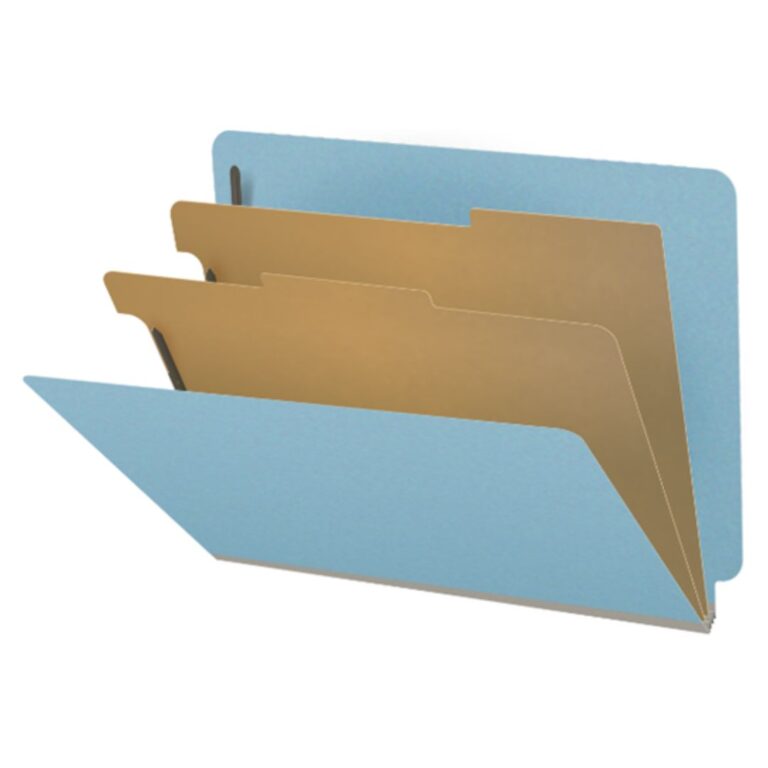
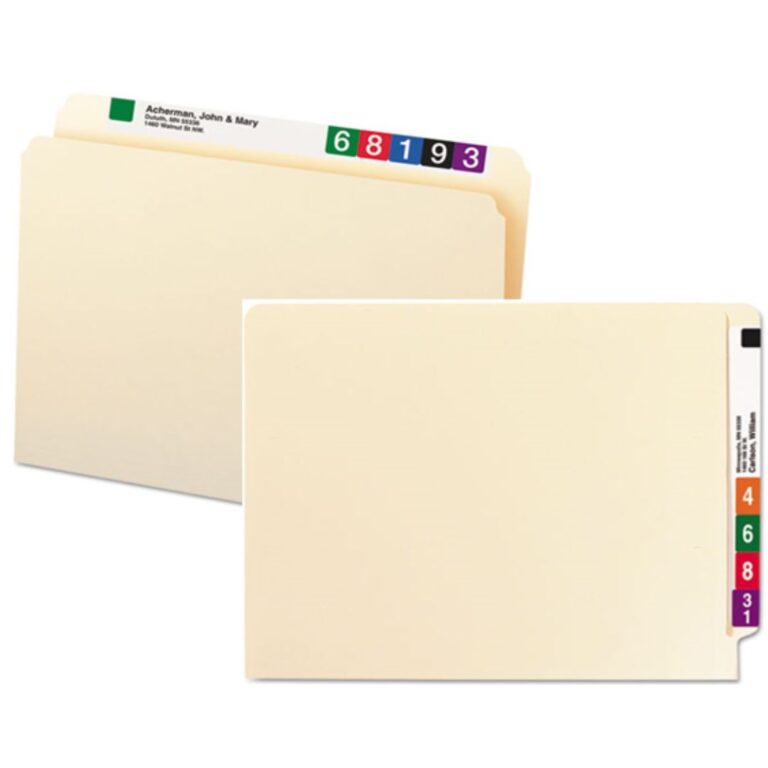
Sturdy file folders with top or side tab
File folders should be sturdy so that they do not bend and flop when in use, risking damage to or loss of documents from within the files
Folders should have an extended tap along the top or the sides of folders so that file folder index information is quickly visible to staff without having to pull folders from drawers or shelves to read the fronts of folders
A wide variety of file folder materials, colors, sizes and accessories (file pockets, document fasteners, document dividers, etc.) are available to provide most efficient operation and user-friendly usage
Sturdy file folders with top or side tab
File folders should be sturdy so that they do not bend and flop when in use, risking damage to or loss of documents from within the files
Folders should have an extended tap along the top or the sides of folders so that file folder index information is quickly visible to staff without having to pull folders from drawers or shelves to read the fronts of folders
A wide variety of file folder materials, colors, sizes and accessories (file pockets, document fasteners, document dividers, etc.) are available to provide most efficient operation and user-friendly usage
Organizing documents within folders
It should be fast and easy for staff to place a document at the right place within a folder or to easily retrieve a needed document
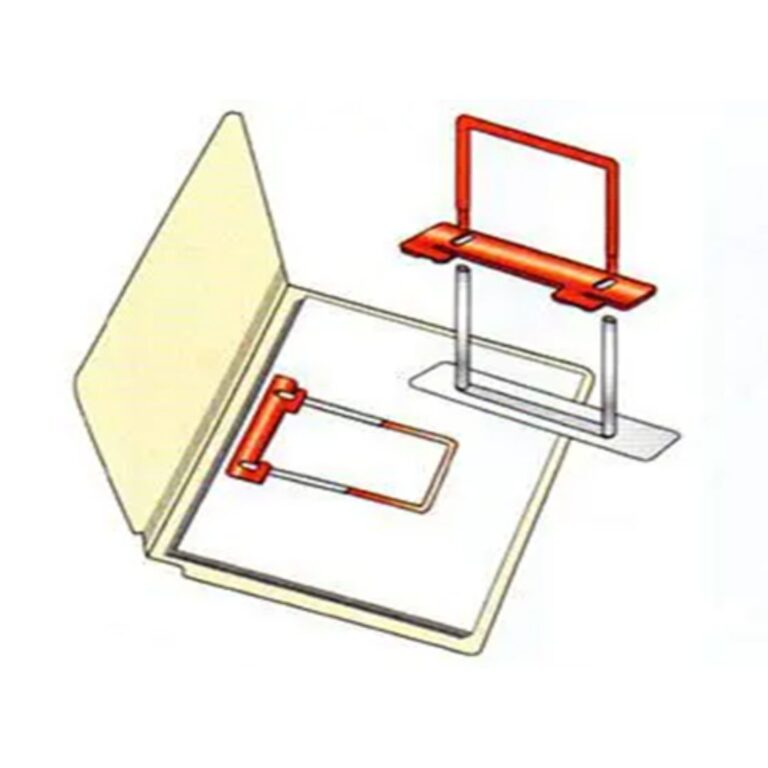
Special extension clips and other file folder fasteners enable staff to only handle a single document at a time and always in exactly the right place without ‘unthreading or rethreading’
Organizing documents within folders
It should be fast and easy for staff to place a document at the right place within a folder or to easily retrieve a needed document
Special extension clips and other file folder fasteners enable staff to only handle a single document at a time and always in exactly the right place without ‘unthreading or rethreading’
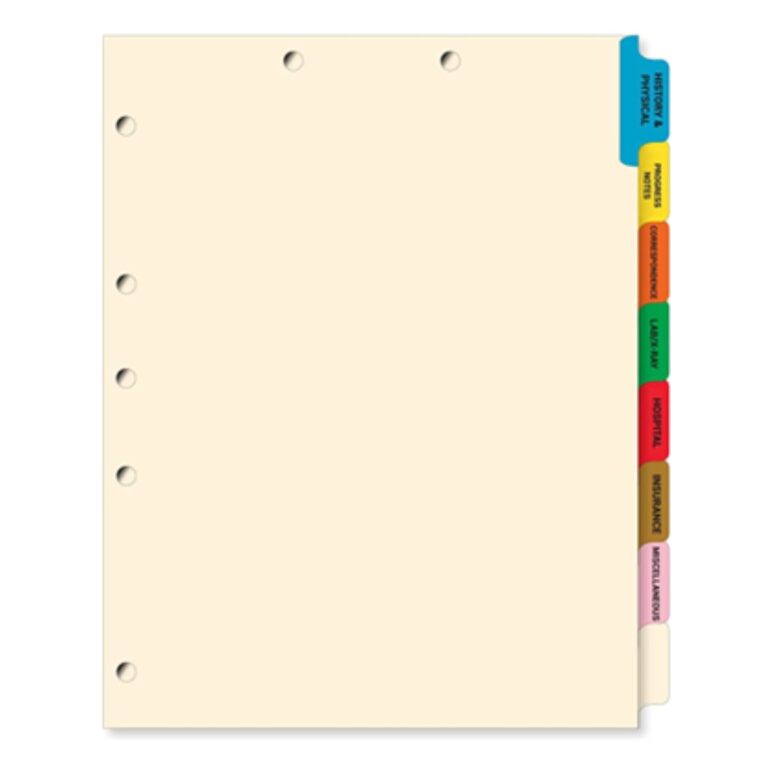
Document index tabs (dividers)
Documents are typically grouped by document-type within file folders
Organize documents by placing index tabs in folders with document type printed on the colored index tabs
Keeps documents organized, in the right place and easy to place documents in or remove from folders
Document index tabs (dividers)
Documents are typically grouped by document-type within file folders
Organize documents by placing index tabs in folders with document type printed on the colored index tabs
Keeps documents organized, in the right place and easy to place documents in or remove from folders
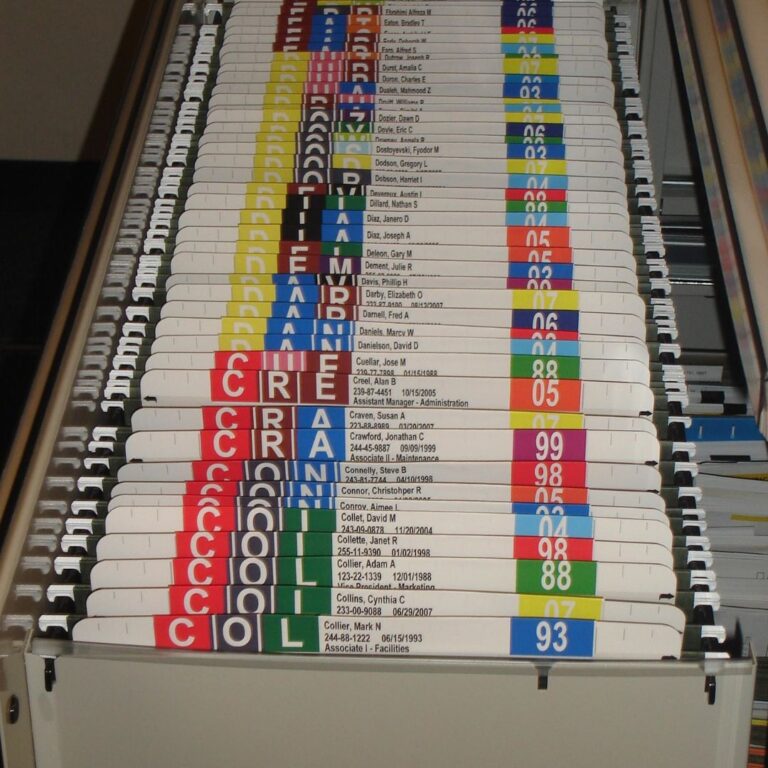
Color-coded filing
Each digit 0 through 9 and alpha character A through Z is assigned a unique color
By have labels with the key index digits or characters color-coded, such as file name or file #, filing processes are dramatically faster
Color coded filing system enables visual versus cognitive filing
Putting folder in wrong place creates an error in the flow of color, preventing and identifying misfiles
Color-coded filing
Each digit 0 through 9 and alpha character A through Z is assigned a unique color
By have labels with the key index digits or characters color-coded, such as file name or file #, filing processes are dramatically faster
Color-coding enables visual versus cognitive filing
Putting folder in wrong place creates an error in the flow of color, preventing and identifying misfiles
For top quality filing systems and records management, learn more about Total Tracking Visibility (TTV) software
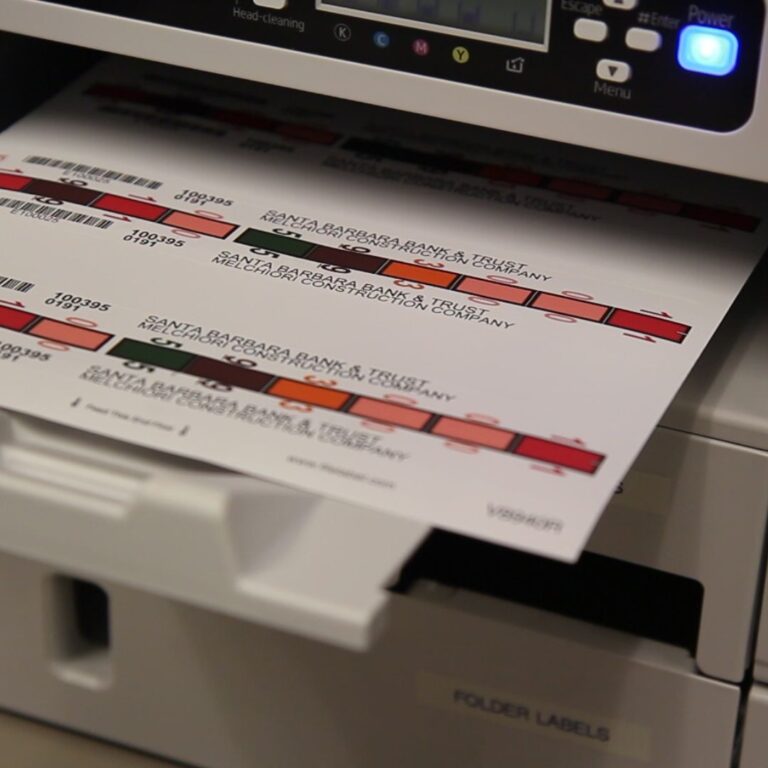
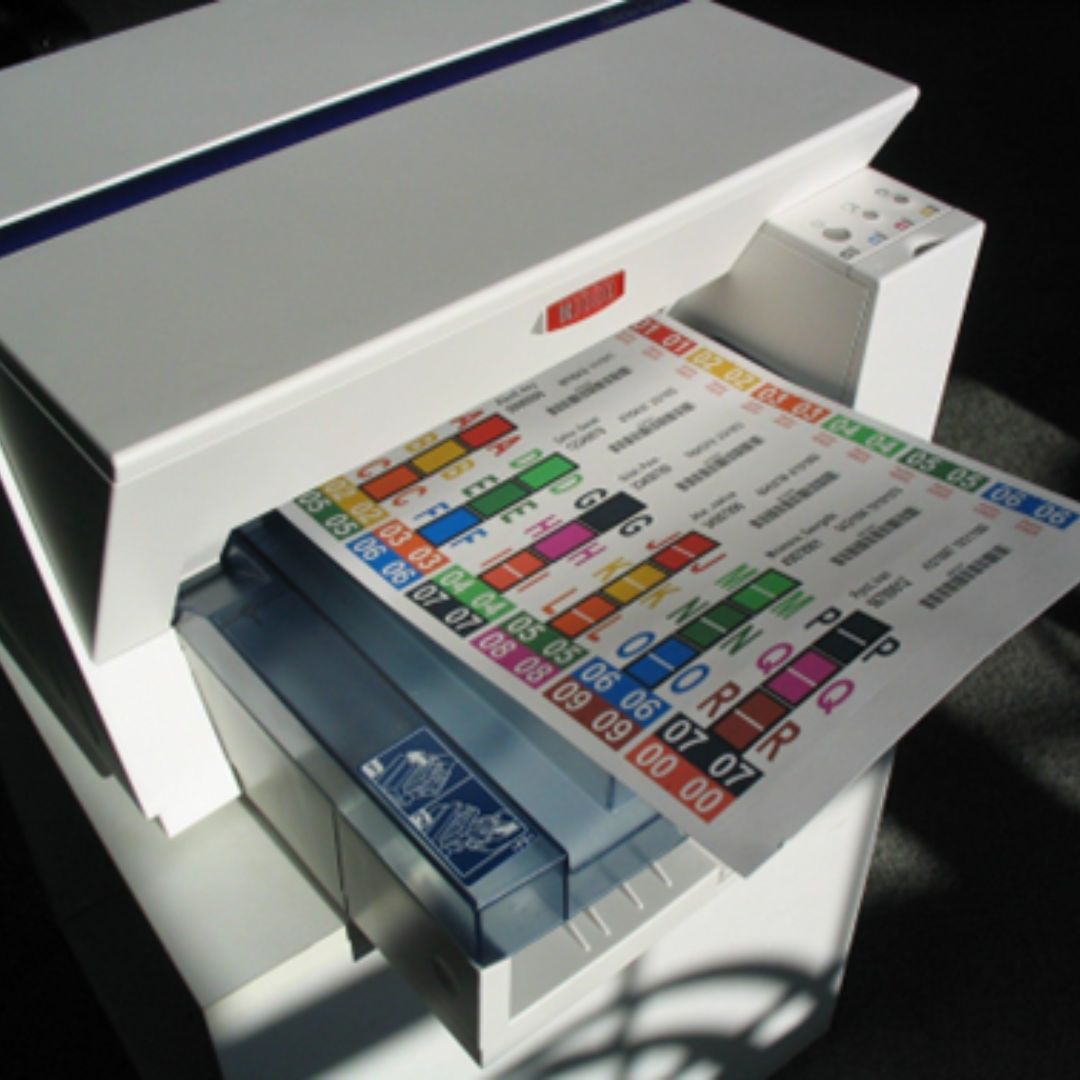
Total Tracking Visibility (TTV) software computerized label printing system that enables printing single labels or batches of labels for new or volume folders being added to the system
One or multiple labels can be printed for each folder
Labels can include color-coding, text fields, barcode and/or RFID
Folder label printing system
FileTrackerIoT computerized label printing system that enables printing single labels or batches of labels for new or volume folders being added to the system
One or multiple labels can be printed for each folder
Labels can include color-coding, text fields, barcode and/or RFID
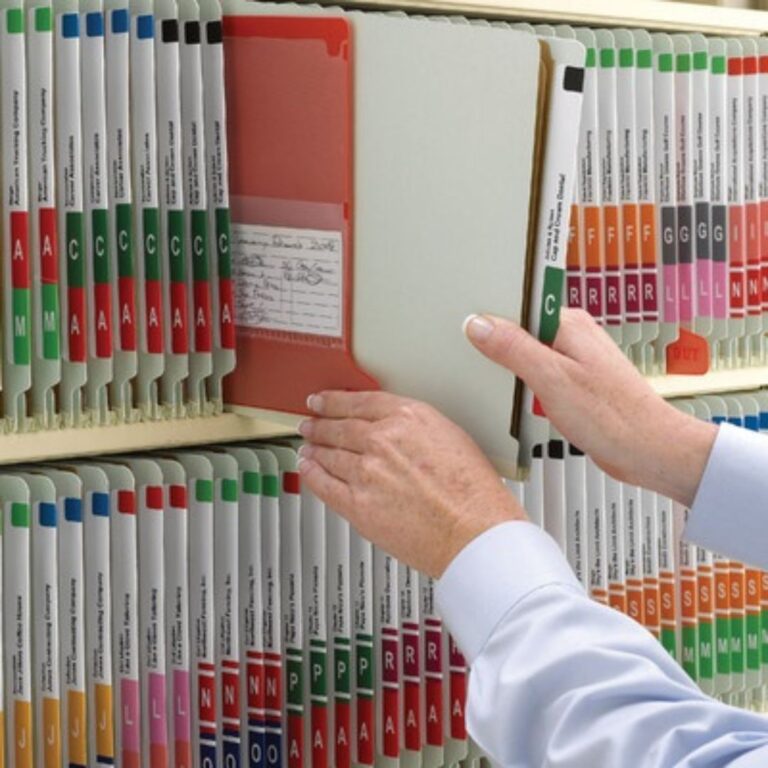
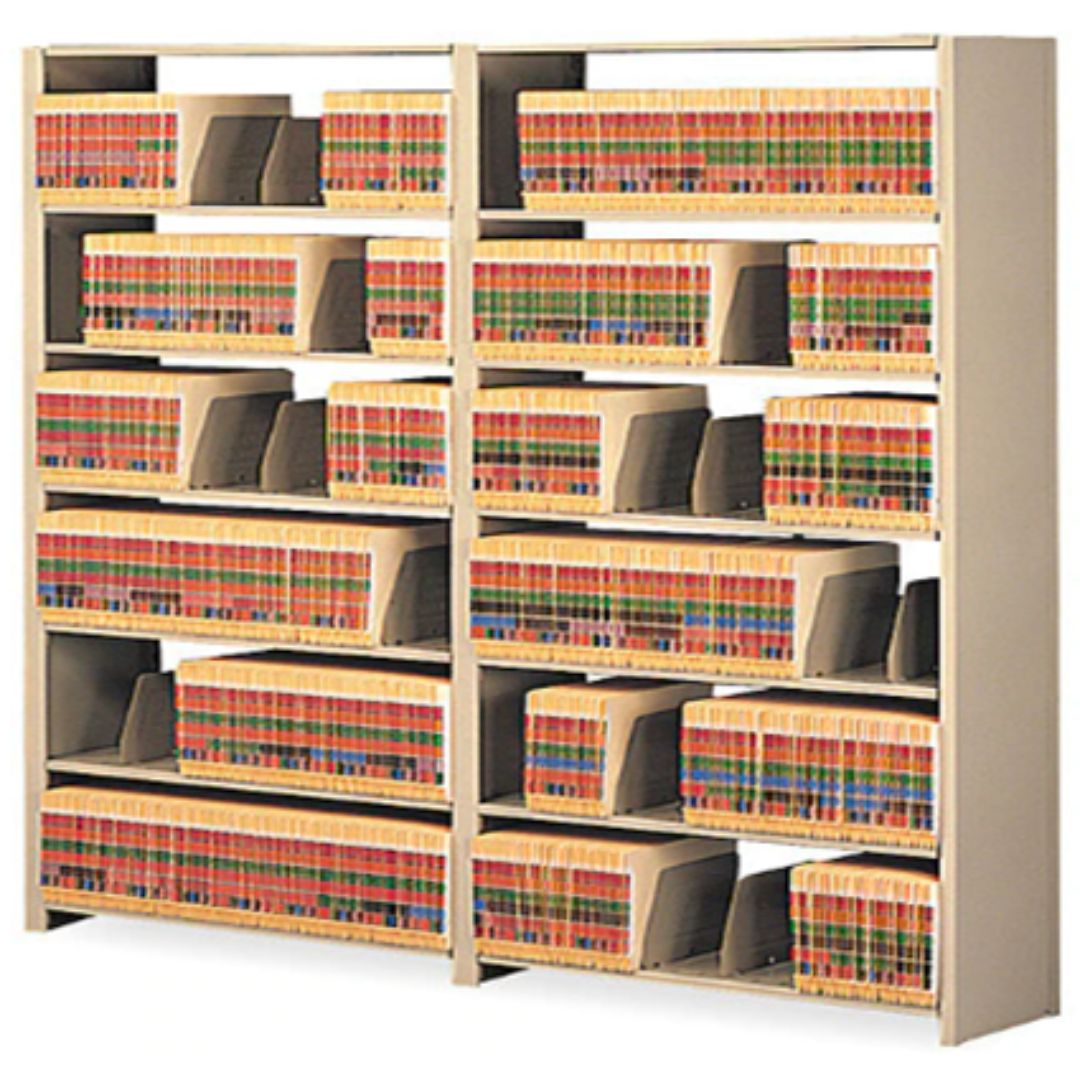
Side tab color-code filing systems
The most efficient method of filing is side tab color-code folders on open (library style) file folder shelving.
Folders pulls and refiles are extremely rapid because staff quickly memorize colors, scan bands of color visually and immediately go directly to the file they require
Color-coding establishes bands of color to prevent staff from placing a folder in the wrong place and if folder is in the wrong place, the colors clash which makes misfiles immediately visible
Color labels can be included in label designs based on file type, year, department or similar designations
Side tab color-code filing systems
The most efficient method of filing is side tab color-code folders on open (library style) shelving.
Folders pulls and refiles are extremely rapid because staff quickly memorize colors, scan bands of color visually and immediately go directly to the file they require
Color-coding establishes bands of color to prevent staff from placing a folder in the wrong place and if folder is in the wrong place, the colors clash which makes misfiles immediately visible
Color labels can be included in label designs based on file type, year, department or similar designations
Manual file checkout with out guides
Out guides are typically made of a plastic material and have a pocket for holding pending documents and another pocket for holding a charge-out slip
If person goes to retrieve a file that has been removed, any new documents will be in a pocket and they can read charge-out slip for the file’s location
The color of the out guide can be used to designate a date removed, such as red = January, blue = February, or to indicate a file’s location such as orange = Contracting and purple = Personnel.
Manual file checkout with out guides
Out guides are typically made of a plastic material and have a pocket for holding pending documents and another pocket for holding a charge-out slip
If person goes to retrieve a file that has been removed, any new documents will be in a pocket and they can read charge-out slip for the file’s location
The color of the out guide can be used to designate a date removed, such as red = January, blue = February, or to indicate a file’s location such as orange = Contracting and purple = Personnel.
Top tab color coded filing
Departmental and personal files are often stored in drawer cabinets, like lateral or vertical file cabinets, typically utilizing top tab manila or hanging folders
Top tab manila style folders can be labeled along the top tab, whereas hanging folders can be labeled on a label tab that inserts to the hanging folder
Standardizes filing procedures for all staff and files throughout a business
Top tab color-coded filing
Departmental and personal files are often stored in drawer cabinets, like lateral or vertical file cabinets, typically utilizing top tab manila or hanging folders
Top tab manila style folders can be labeled along the top tab, whereas hanging folders can be labeled on a label tab that inserts to the hanging folder
Standardizes filing procedures for all staff and files throughout a business
Would you like to improve your records management practices and filing systems?
Discover Effective File Folder Storage Solutions for Your Office
Open shelving
Open file shelving enables higher storage cabinets versus lateral or vertical file cabinets
The shelving has less depth versus the depth of lateral or vertical file cabinets
There are no drawers that require wasted floor space
Open shelving enables more files in less space and faster, easier filing
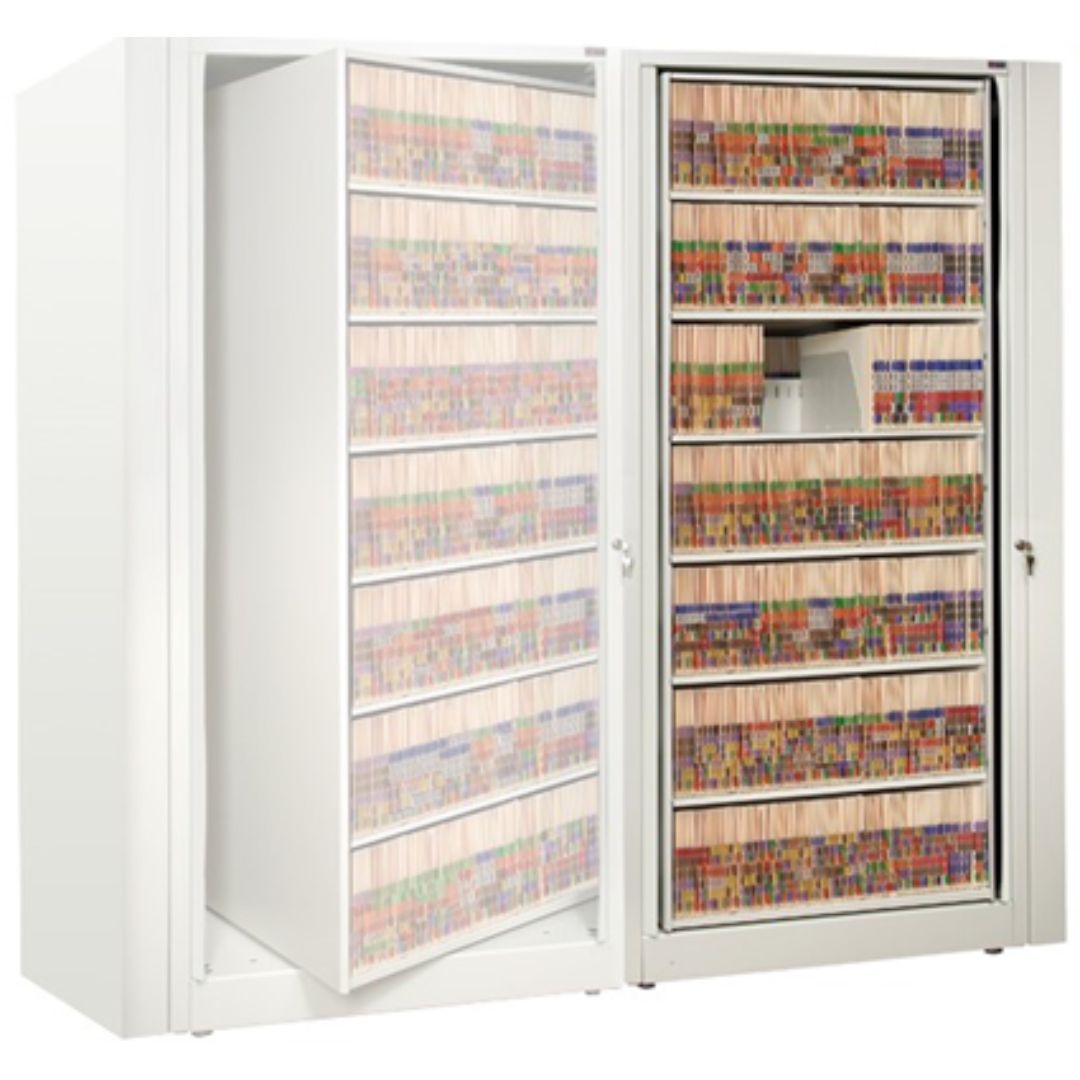
360˚ rotary files
Cabinets are placed back-to-back and can be turned from one side to the other so that more files can be placed in less floor space
Cabinets can be turned so that their sides are showing and the files are not visible, and can be locked to secure and restrict access to files
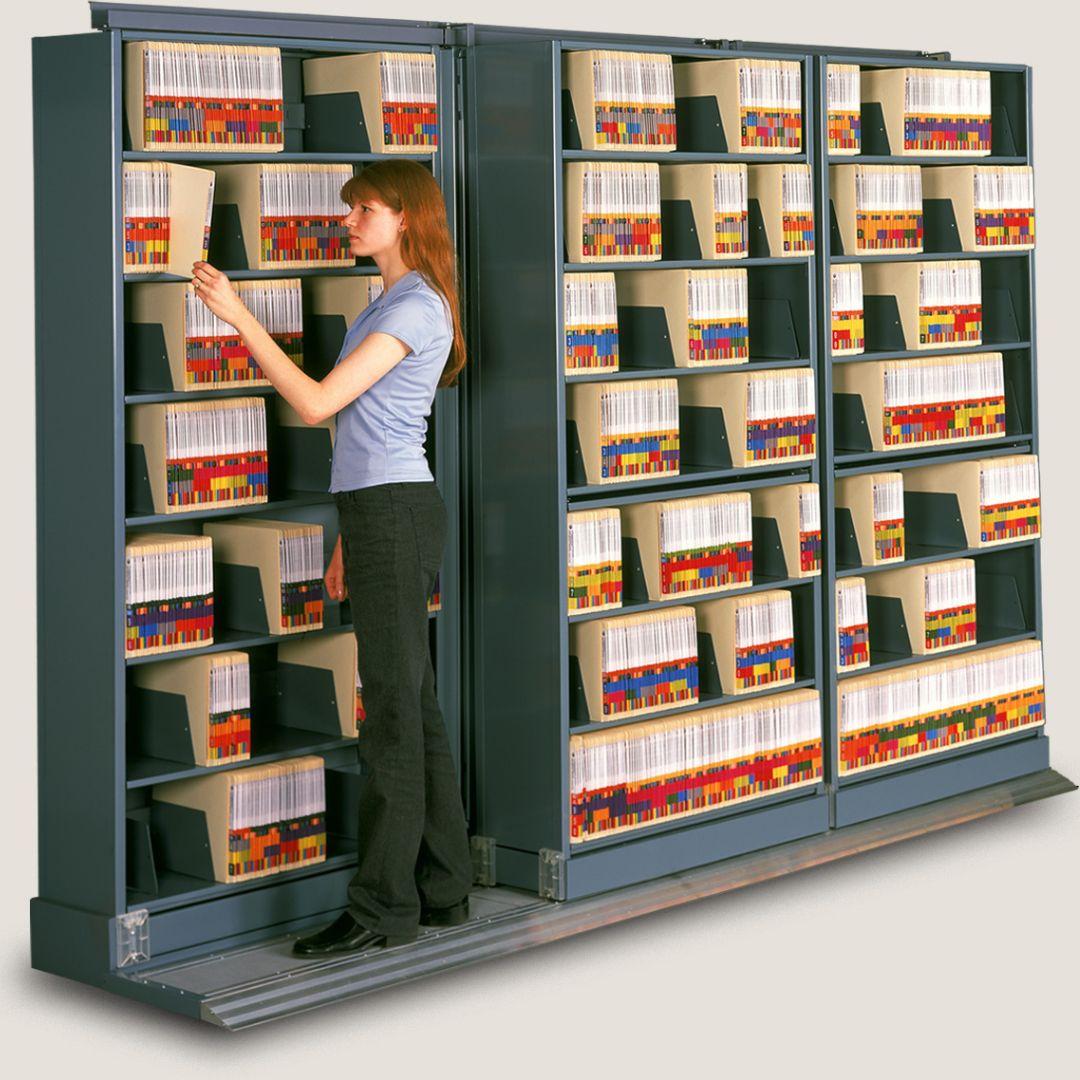
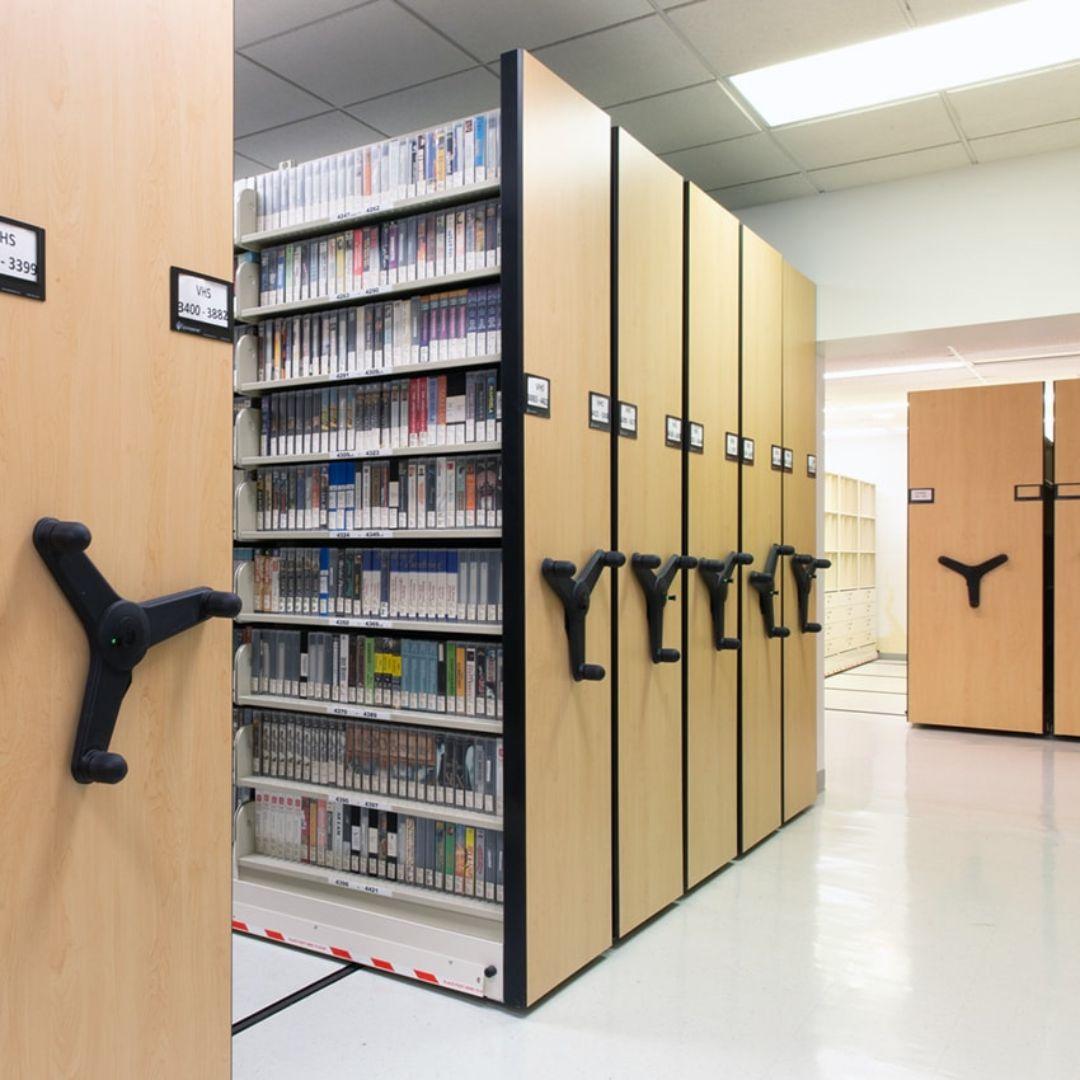
Slide-a-Side space saving shelving
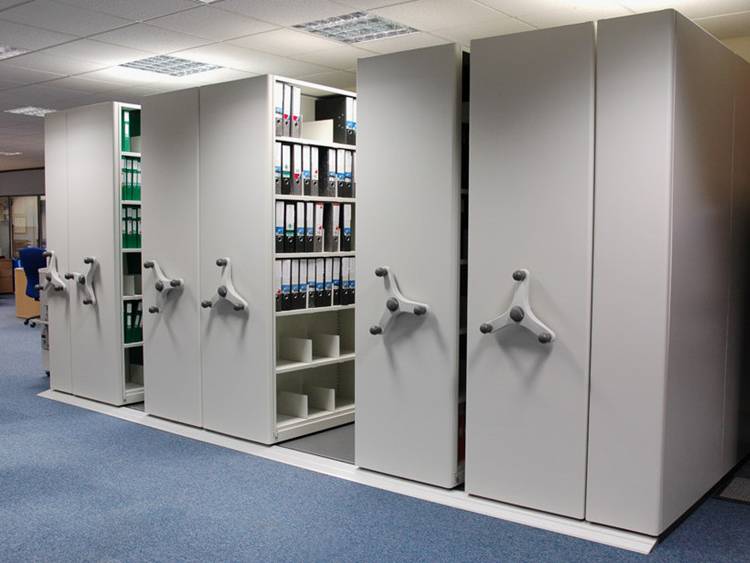
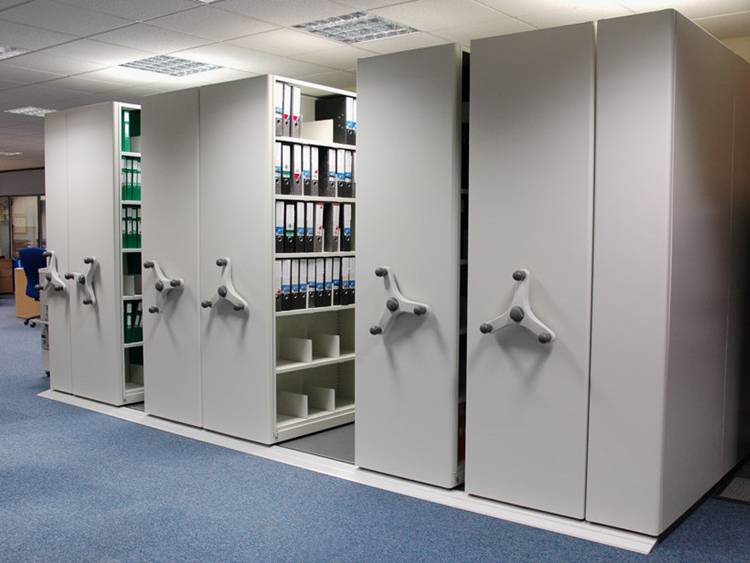
File shelving units can be placed on carriages with wheels and placed on a platform with rails, so that front rows of cabinets can slide left-or-right to access rear cabinets, so more files are in less space
There can be many file shelving units along the back, and one less in front rows, typically 2 or 3 rows of shelving units front-to-back
High Density compact shelving
Compact file shelving provides the maximum # of file storage capacity in the least floor space.
Shelving units are placed back to back forming two-sided shelving ranges that can be up to approximately 25+ shelving units deep…so…75’+
Shelving is placed on metal carriages on wheels that slide on rails in special flooring
Eliminates unnecessary aisles to maximize capacity
Compact shelving available mechanical or electrical
Color-code label printing system
Software enables input of file index information, or import data from a spreadsheet or backend software to print labels for new folders and volume folders
Labels can include color-coding, barcode, text fields and/or RFID ‘all in one’
Optimizes filing system efficiency and eliminates the need to place multiple labels on a folder – only one label is required and includes everything needed for efficient filing
File Tracking Systems
Enhance records management by establishing a database of all of your records and archives
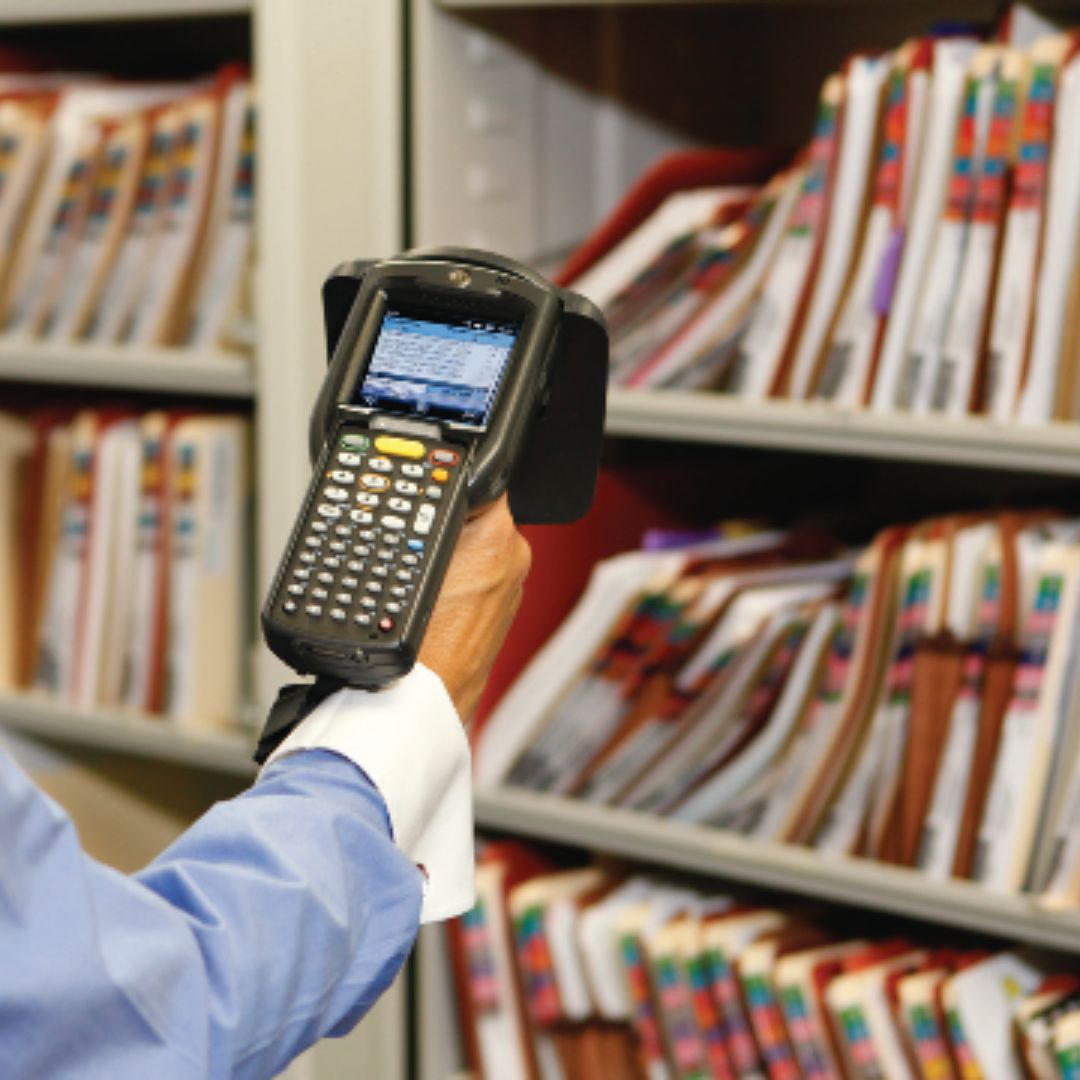
Supports barcode and/or RFID tracking technologies
Manages file and archive life-cycles and retention management
Maintains a complete audit trail history of all aspects of a files usage from origination through final disposition
Slide 1
Elanco is the third-largest animal health company in the world.
- Elanco has batch records which are file folders with documents within the folders.
- Initial site has approximately 70,000 records and there are multiple sites globally. Folders follow products through the manufacturing process, quality review, product packaging and additional processes. There are continual QC checks throughout the manufacturing and scientific process.
- Inactive folders are placed in archives for box/files-in-box tracking and transferred offsite.
Elanco Animal Health
Slide 2
Shelby County Tennessee Sheriff’s Department
Shelby County Sheriff serves approximately 1,000,000 citizens, and produces and tracks approximately 25,000 warrant jackets annually as well as Orders-of-Protection files:
- Customized color-coded side tab labels for folders including 11 text fields and barcode
- System integrates with backend case management system to import new records automatically
- Utilizes USB scanner for check-out and check-in
- Maintains history of all files from origination through final disposition
Slide 2
Nationwide Title Clearing
- New records are enrolled to software and label printed RFID, barcode and text for each new file folder
- USB RFID/barcode scanner is utilized for check-in and check-out
- RFID antennas at file room doorways automatically, passively track files being removed or returned
- Mobile scanner is utilized to rapidly inventory files-in-circulation, audit all files and FIND missing files
Slide 1
National Oceanic & Atmospheric Administration
Slide 2
U.A.E. MOI Department of Civil Defense
Slide 2
John Hopkins Medical Center
Slide 2
Canada Supreme Court
Slide 2
Botswana Ministry of Infrastructure and Housing
Slide 2
BankUnited
Total Tracking Visibility (TTV) software makes you more efficient, improves internal and external customer service and reduces costs